
Beyond the Score: Understanding Your Performance
Getting a number on a test tells you very little. GenEval's Enhanced Evaluation View transforms raw scores into actionable insights that drive real learning.
Overall Performance Feedback
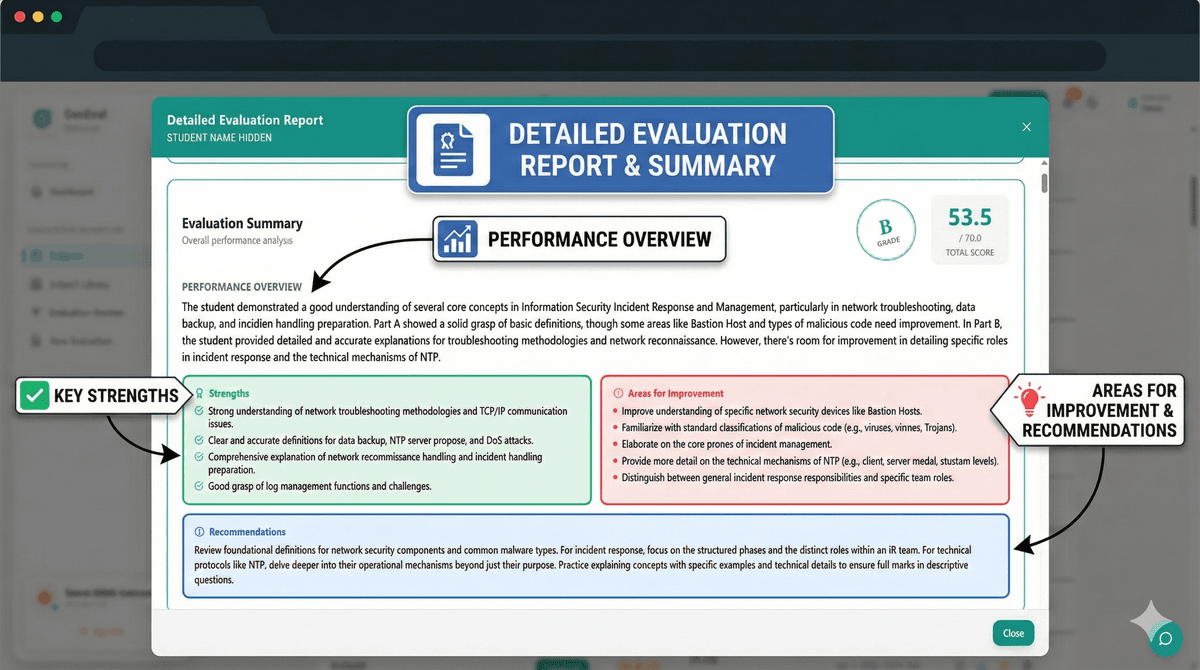
Overall Performance Feedback
The moment you open your evaluation results, you're greeted with a comprehensive performance summary that includes:
Performance Summary
A concise assessment of your overall performance, contextualized against the exam's difficulty and your demonstrated strengths. This isn't generic feedback — it's tailored to your specific answers and patterns.
Strengths Identification
The AI identifies what you did well:
- Conceptual clarity in specific topics
- Presentation quality of your answers
- Application skills where demonstrated
- Diagram accuracy when relevant
Areas for Improvement
Equally important are targeted suggestions for growth:
- Specific topics that need review
- Common mistake patterns identified
- Missing elements in your responses
- Recommendations for study focus
Question-Level Deep Dive
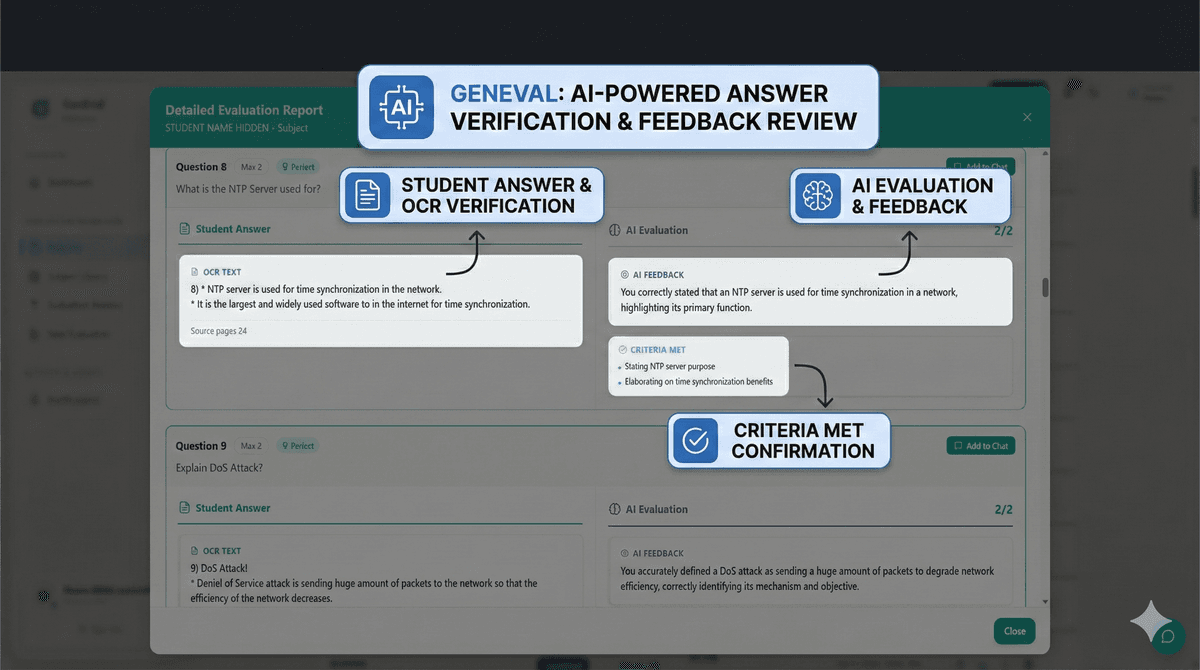
Individual Question Feedback
Click on any question to reveal the detailed breakdown:
What You Wrote
Your extracted answer text is displayed alongside:
- The original question
- Maximum marks available
- Your awarded marks
AI Feedback Analysis
For each question, you'll see:
Rubric Criteria Met ✓
- Which marking criteria your answer satisfied
- Specific points that earned marks
Rubric Criteria Not Met ✗
- What was missing from your answer
- How many marks were deducted and why
Detailed Feedback
Constructive comments explaining:
- Why you received the marks you did
- What would have earned full marks
- Common misconceptions to avoid
The Technical Magic
Our evaluation uses a multi-agent architecture:
- Extraction Agent: Accurately reads your handwritten answers
- Mapping Agent: Aligns your responses to rubric questions
- Grading Agent: Evaluates against semantic criteria
- Verification Agent: Quality-checks for consistency
This pipeline ensures every evaluation is:
- Accurate: Multiple verification passes
- Fair: Semantic understanding, not keyword matching
- Detailed: Comprehensive feedback at every level
- Fast: Results in minutes, not days
Subpart-Level Granularity
For questions with multiple parts (a, b, c), each subpart receives:
- Individual marks breakdown
- Specific feedback per subpart
- Criteria tracking at the subpart level
This granularity helps you identify exactly where you lost marks, not just which question you struggled with.
Flagged Questions
Sometimes the AI isn't confident in its grading. These questions are automatically flagged for human review, ensuring you always get fair treatment even in edge cases.
Flagged questions show:
- The reason for flagging
- Lower confidence indicators
- Request for manual review option
The Enhanced Evaluation View transforms assessment from a one-way grade delivery into a two-way learning conversation. Every evaluation becomes a personalized study guide.
Ready to see it in action? Book a demo to experience the difference.